
Key Takeaways
- Substack lets you publish newsletters and other content, including videos and podcasts, that readers can follow on the platform or receive by email when they subscribe.
- Creators can build an audience through free subscriptions and choose which content to reserve for paying subscribers.
- Creators can publish on Substack for free. If they offer paid subscriptions, Substack takes 10 percent of subscription revenue, plus payment-processing fees.
- Growing an audience requires consistent publishing and active reader engagement.
- Paid subscriptions work best when creators offer content readers find valuable enough to pay for.
Substack isn’t just another content platform. It’s a powerful tool for building and monetizing a community.
Substack works by providing a user-friendly way to create and monetize your ideas with tools that attract engaged subscribers. There are more than 5 million paid subscribers on the platform, with tens of millions of people engaging with Substack content each week.
With Substack’s built-in community features, those users can discover your content, too.
The best part? You don’t need a huge audience or technical skills to get started. You just need something worth saying and the consistency to show up.
I’ll walk you through how to use Substack’s features to establish yourself as a voice in your space and create a path to monetization.
What Is Substack?
Substack is a publishing platform where creators and brands can produce, distribute, and monetize digital content.
Although it started as a platform for written content, Substack users now produce content in several media formats. You can use it to distribute content like podcasts, newsletters, and videos to your audience.
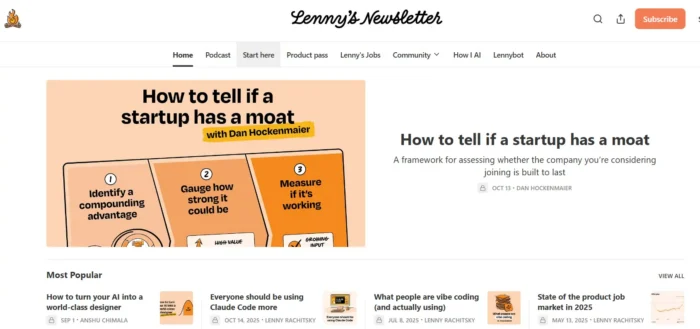
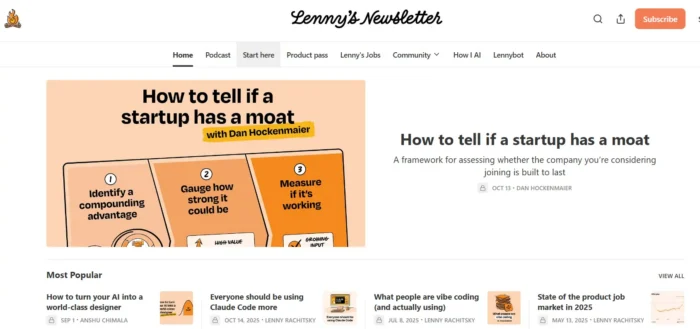
Take Lenny Rachitsky, for example. This top-ranked business creator reaches 1.2 million subscribers through newsletters and podcasts published on Substack.
On the surface, Substack might seem like a standard email newsletter platform. However, it’s designed to encourage engagement.
Substack Notes lets users share short posts and interact with others, much like a social media feed.
Substack Chat gives creators a space to have conversations with their subscribers.
Going live allows conversations to happen in real time.
These all encourage organic discussion threads.
Recommending other content on Substack also builds community and encourages engagement with fellow writers.
With Substack, creators have tons of ways to connect with followers. I’ll walk you through these features below.
How Does Substack Work?
Substack works as a subscription-based model. Followers can subscribe to content creators and receive email or in-app notifications when they publish something new.
Creators can set up one or more subscription tiers, including free and paid. Below, I’ll show you how paid tiers work.
Unlike standard email newsletters, with Substack, your content goes to inboxes, the creator’s feed in the Substack app, and the website.
Think of it as a blog, email newsletter, and social network all rolled into one.
The Subscription and Distribution Model
When you hit publish on Substack, three things happen. Your newsletter:
- Lands in your subscribers’ inboxes
- Appears in the Substack app inbox
- Goes live on your publication page
This distribution model makes it easier for your content to be found, shared, and liked.
If readers or other creators like your content, they can choose to subscribe. Subscriptions are the lifeblood of Substack and the best way to share your content and grow your audience.
Subscriptions can be free or paid (more on that later). Unless you already have a large following, start with free content to grow your subscriber list. Content that doesn’t charge subscribers doesn’t have a Substack platform fee, so it’s free for you, too.
How Substack Discovery Works
Substack has built-in features that help readers discover new publications. These include:
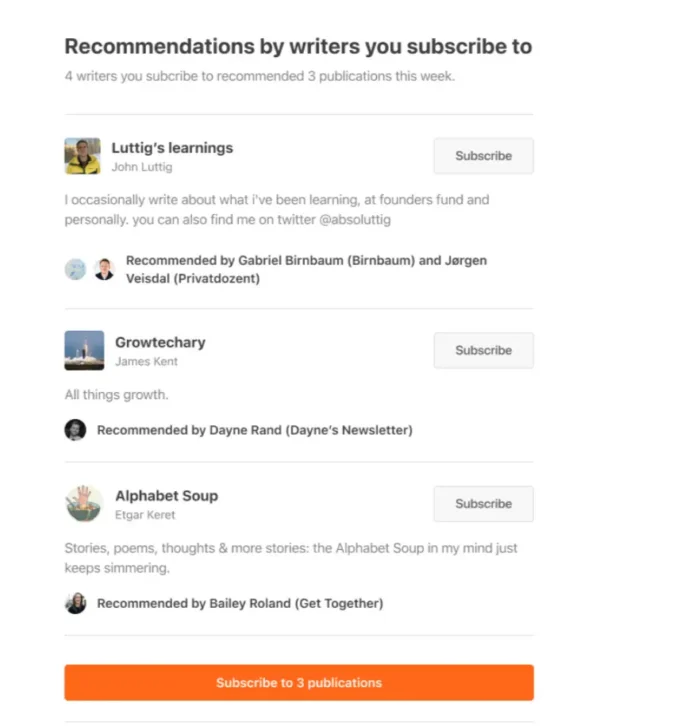
- Recommendations: Other creators can recommend you to their readers. This feature is one of the best ways to get new subscribers to your page.
- Notes feeds: Where your short-form content gets surfaced to people who don’t follow you yet, based on the type of content they’re engaging with.
- Direct search within Substack: Readers can search for publications and topics that interest them, making it easier to find content they like.
These features help surface your content to new readers, which can lead to new subscribers.
The Engagement Model: Notes, Chat, and Live
Engagement is the secret sauce for growing your subscriber list. There are three main ways to interact with your readers.
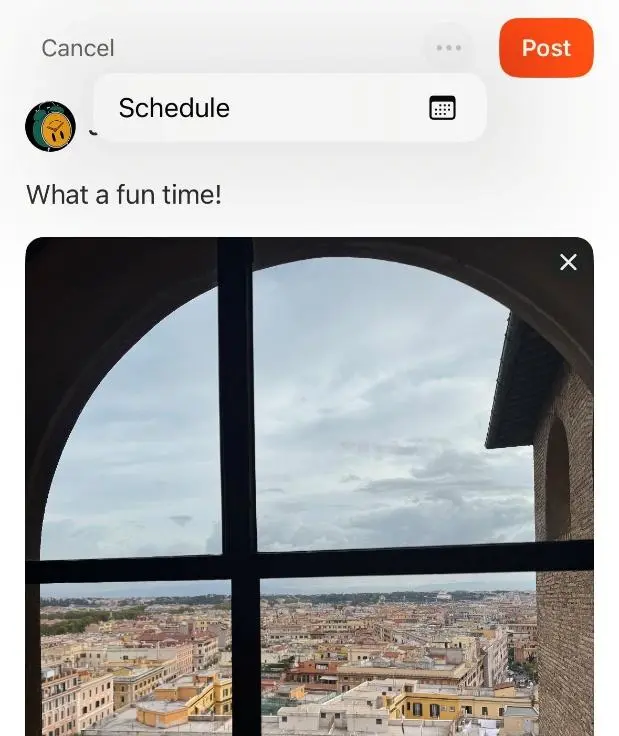
Notes are Substack’s short-form content feed. This channel is visual-first and a good place to post images and videos. Notes are always public and will appear on your profile. Substack works by pushing your Notes to non-followers based on content relevance to increase discovery.
Chat creates private threads with subscribers. It’s perfect for Q&As and short updates. Separate chats can be made for exclusive discussions or paid subscribers.
Another option is Live Video. Going live engages your audience in real time. It’s a great way to build trust through interactive ask-me-anythings (AMAs) or to bring your audience to exclusive events. Live videos can be a big incentive to subscribe.
You don’t need to use every feature to build a successful publication. Choose the ones that fit your content and give readers meaningful opportunities to connect.
What Is Substack Used For?
Because it’s geared toward content creation and publishing, the platform is popular with:
- Creators and podcasters who want to distribute content without the cost of a traditional email newsletter platform
- Journalists and writers who want to grow an audience without having to rely on social media algorithms
- Thought leaders who want to build a personal brand and share in-depth, blog-style insights
There are Substacks for businesses, too. Brands can use the platform to build an audience and thought leadership through genuinely useful, high-quality editorial content. This can increase brand visibility and introduce your brand to new audiences. It can also build trust.
That doesn’t mean you can use your business Substack to sell your product. Substack’s content guidelines prevent brands from using the platform for what it calls “conventional email marketing” or using it as an email list.
In other words, brands can use Substack to share informative articles and attract a larger audience who see your brand as a trusted resource.
Here’s an example.
TheRealReal is an online marketplace for luxury goods. It can’t be used to promote subscribers to shop, so The RealReal Substack is filled with engaging blog-style content that walks readers through how to dress and what to buy for specific occasions.
This helpful content can position TheRealReal as a source of expert advice on fashion.

If you’re using Substack for your business, focus on creating genuinely useful content that shows expertise and builds trust for your subscribers.
Is Substack Free?
Substack is free to use until you opt to monetize your audience. So, as a creator, you can
publish content and distribute it to followers for free, no matter how many subscribers you have.
This business model is different from email marketing platforms, which charge a monthly fee once you reach a newsletter subscriber threshold.
Paid subscriptions start at $5 per month for subscribers. Most are around $5 to $10 per month, with some business newsletters charging up to $50 a month. Most creators will keep a free tier and offer bonuses to their paid subscribers.
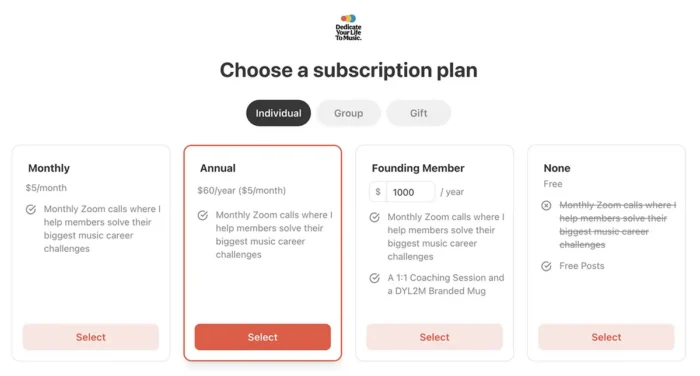
Substack supports monthly and annual subscription payments. It also includes a founding member price (paid annually) that costs more than the subscription fee. This shows support for the creator’s work and often comes with exclusive perks.
When you launch a paid newsletter, the platform is no longer free. Substack takes 10 percent of subscriptions, plus credit card processing fees, so you’ll keep roughly 88 percent of each dollar earned.
How to Get Started with Substack
I’ll show you step by step how to set up your Substack and attract your first subscribers.
1. Sign Up and Create a Profile
Go to https://substack.com/signup. Fill out your profile, email, contact number (optional), and handle (for example, @thethoughtleader).
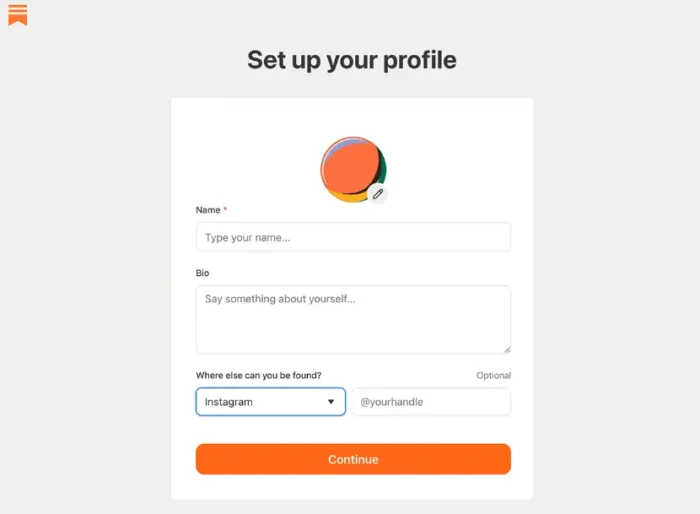
You’ll also need to choose a unique Substack URL. I recommend including your social media handle in it. This aligns your Substack with your branding and makes it easier for existing followers to find.
2. Set Up Your Substack
Next, give your Substack homepage, welcome page, and posts a distinctive look.
Add your branding by adjusting the logo, colors, and fonts.
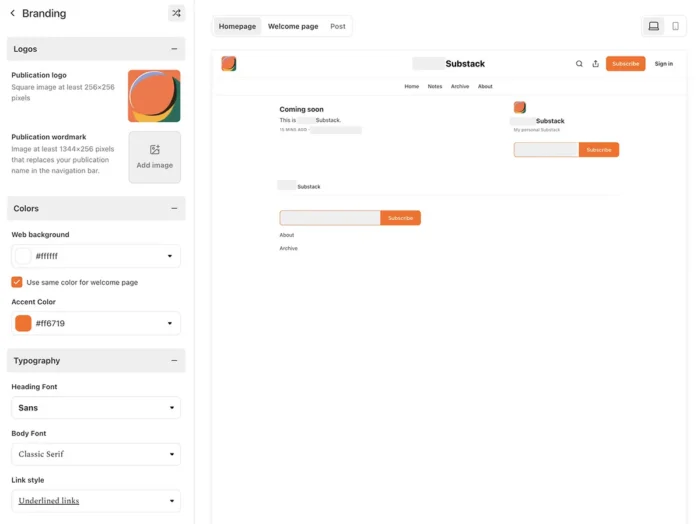
You can also create a custom QR code to make it easier for mobile users to subscribe.
3. Create a Substack Strategy
Now you’re ready to start publishing on Substack. But before you press publish on your first post, map out a strategy.
I recommend thinking about Substack from a content marketing perspective:
- Choose a consistent publishing schedule. Will you publish weekly or monthly? Set expectations for subscribers.
- Plan ahead by scheduling. After writing or pasting your content, you can select when to publish your post by clicking on “Select time to email and publish.”
- Think about your audience. Who are you writing for? What do they care about? Tailor your content to your subscribers.
- Develop a set of content pillars. Think about where your expertise intersects with what your audience cares about. These areas should be your content pillars—the broader areas you draw from for each topic.
- Decide on content formats. Will you write blog-style content? Publish podcasts? Share interviews? Incorporate different formats into your publishing schedule so subscribers can anticipate certain kinds of content.
For example, entrepreneur and AI expert Dan Koe shares AI prompts, insights on emerging trends, and in-depth guides on his Substack publication.
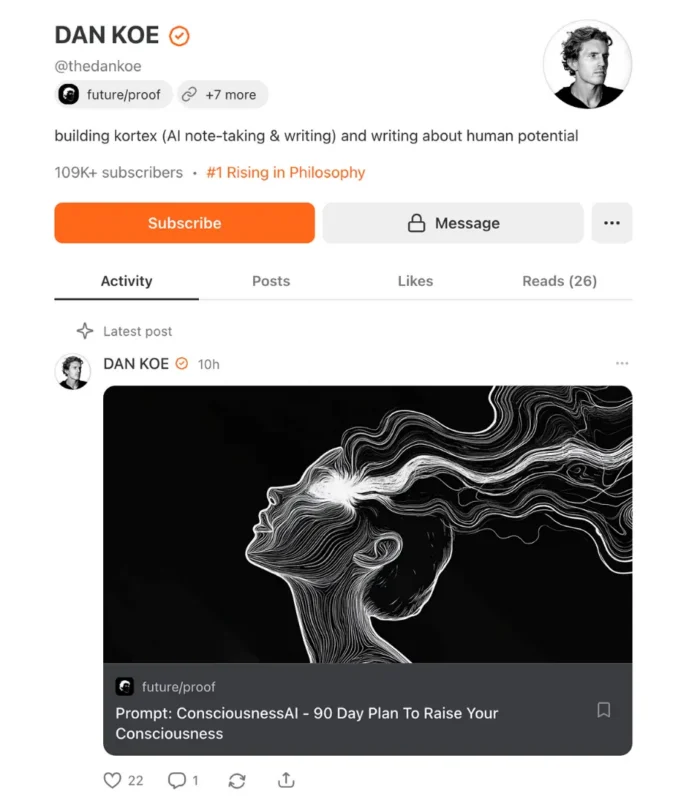
The point is to give readers a reason to subscribe and a reason to stay. A clear strategy does both.
4. Distribute Your Substack
When you first start publishing on Substack, you might not have many (or any) subscribers.
In-app discovery is a significant growth channel, and its community tools are some of the best ways to get followers on Substack.
Still, it’s important to put your content in front of your existing audience.
Take a hybrid approach to distribute your post:
- Share your latest post with your social media followers. Or post a link in relevant communities.
- Recommend other creators whose Substacks you enjoy or whose content is similar to yours. They will discover your page and may do the same for you. Here’s a walkthrough from Substack.
- Use Notes to share posts, images, quotes, links, etc. with your subscribers. Substack talks you through that.
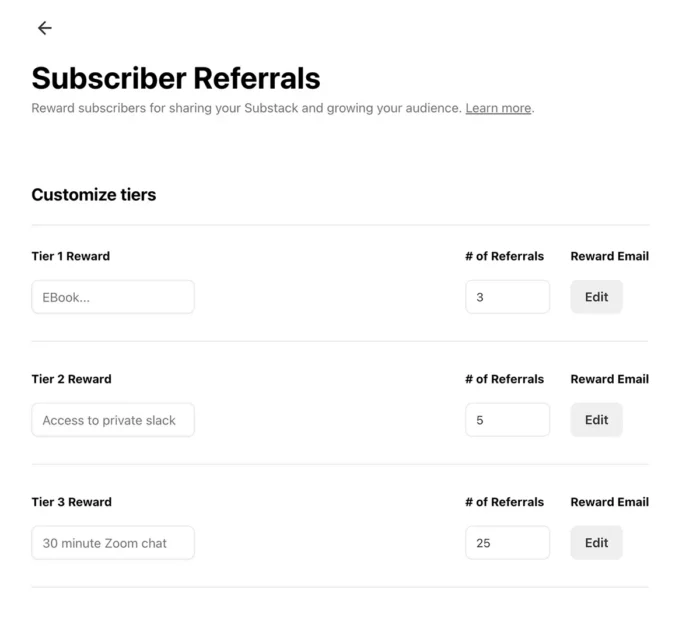
- Offer rewards to existing subscribers for referrals. Just set up reward tiers for how many new subscribers a reader brings in, and Substack will handle the rest.
5. Engage with Subscribers
The best way to retain subscribers and turn them into loyal readers is to engage regularly. That starts with showing up in the comments and conversations.
Make responding to comments a regular part of your workflow. A thoughtful reply signals that you’re paying attention, and feeling heard could help keep readers around.
Apply that same energy across Notes and Chat. Leave genuine comments on posts from creators whose work overlaps with yours. This builds relationships with other writers and puts your name in front of their audiences.
Consistency comes into play here. A few meaningful interactions can be more impactful for retention than a burst of activity followed by nothing.
6. How to Get Followers on Substack
If you have an existing email list, you already have a head start on growing your Substack audience. You can import your mailing list over to Substack.
Regular publishing, distribution, and engagement will help you grow your audience organically. However, increased competition and Substack’s 2025 change to prioritize Notes with higher levels of engagement mean smaller Substacks cannot depend on the methods that worked only a few years ago.
Two built-in features can still help, and they work in different ways:
| Feature | Referrals | Recommendations |
| What it is | A reward program that encourages your current subscribers to bring in new ones | A discovery feature that puts your publication in front of readers of similar newsletters |
| How it works | You choose the perks, and Substack creates share links and tracks each sign-up automatically. | When a reader subscribes to a related publication, Substack may suggest yours on the confirmation page or a follow-up email. |
| Who drives growth | Your existing subscribers | Substack’s network and other writers who recommend you |
| Setup effort | Moderate. You pick rewards up front and promote the program now and then. | Low. Once it’s turned on, it runs quietly in the background. |
| Who it reaches | The audience you already have | People who have never come across your work before |
| Best for | Turning loyal readers into active promoters of your publication | Steady, hands-off exposure to brand-new readers |

Using storytelling and visuals in Notes can also lead to “restacks,” or other readers sharing your post with their followers. Like recommendations, restacking posts and adding comments that are meaningful may encourage the original poster to return the favor.
7. Review Analytics Regularly
Like any marketing channel, you can improve your Substack results by reviewing your analytics regularly.
I recommend checking Substack stats weekly to see how your content performs and where your traffic comes from.
On the homepage, you’ll find:
- Total subscribers (free and paid)
- Gross annualized revenue
- Paid subscribers
After that, there are eight categories you can dig into:
- Posts: Stats on open and delivery rates, link clicks and traffic sources, paid/free subscriptions, total views, and recipients
- Stats: Metrics for up to 10 categories, including network, retention, surveys, unsubscribes (paid accounts), earnings, and more
- Unsubscribes: Why paid subscribers unsubscribed
- Retention: Paid net growth, churn, cohort analysis, and free subscribers
- Network: How many subscribers come from Substack’s network (the Substack app, saved credit cards, new accounts, and existing accounts)
- Reader sharing: Who is sharing your posts, how many visitors, free subscriptions, and paid subscriptions
- Traffic: Number of visits to your Substack across all platforms
- Growth: Which channels are fueling growth
Use these numbers to see what’s working and what’s not to meet your monetization goals.
How to Get Paid Subscribers on Substack
Getting subscribers to pay to access your content is how to make money on Substack. Before we get into it, though, here’s a reality check about your Substack marketing strategy.
Converting free subscribers into paid ones doesn’t happen overnight.
Your subscribers won’t switch to paid unless they trust you and they’re getting value from your content. That might mean offering exclusive articles, deeper insights, or access to paid subscriber-only discussions they can’t get from your free offerings.
Publishing consistently and engaging with readers can help make a paid subscription more appealing, too.
Substack content with a paid option tends to convert 5 to 10 percent of subscribers, with 10 percent of readers the goal to reach for. Building a large, strong subscriber base is essential for monetizing Substack.
Offering exclusive and desirable content and connecting with your readers can help build a larger community and encourage more people to support you.
Here’s how to encourage free subscribers to make the jump to paid.
Make a Launch Plan
There’s no firm rule about when to launch paid subscriptions. Technically, you can do it from the beginning.
Unless you already have a massive following, I recommend establishing yourself as a consistent creator first.
That means regularly publishing on Substack and building an engaged audience.
Keep in mind that followers purchase monthly or yearly subscriptions. So, they want to know you’ll keep publishing valuable, unique content consistently.
Plus, the more free subscribers you already have, the more people you can tell about your paid newsletter launch. If they see the value in your content and they want to support your work, they’ll be more likely to pay.
When you announce your paid Substack, explain why you’re making the change and what’s in it for subscribers.
For example, will monetizing your content allow you to produce new posts more frequently? Experiment with new formats? Go deeper into a series that subscribers already love? Or perhaps give them free access to a course you run that has value to them?
Consider what your audience needs and is looking for. Then, offer that to paid subscribers.
Set Up Subscription Options
Next, decide how much to charge subscribers. The minimum monthly fee is $5, but there’s no maximum.
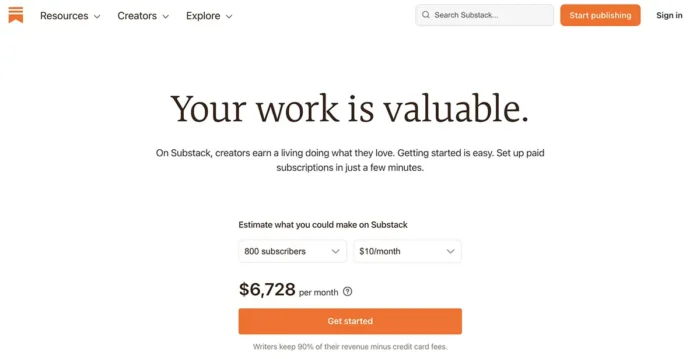
To check how much you could earn, check Substack’s calculator. Toggle the monthly rate and the subscriber number to see what you would earn after subtracting 10 percent of subscription revenue and payment processing fees.
Substack’s subscription options can also help convert more readers by giving them flexibility with the upfront costs and commitment. Substack supports monthly and annual subscriptions as well as a founding member price (paid annually).
Put Select Content Behind a Paywall
Just because you enable paid subscriptions doesn’t mean all your content has to be subscriber-only.
You can keep some posts free to show off the kind of content you create and encourage people to subscribe for more.
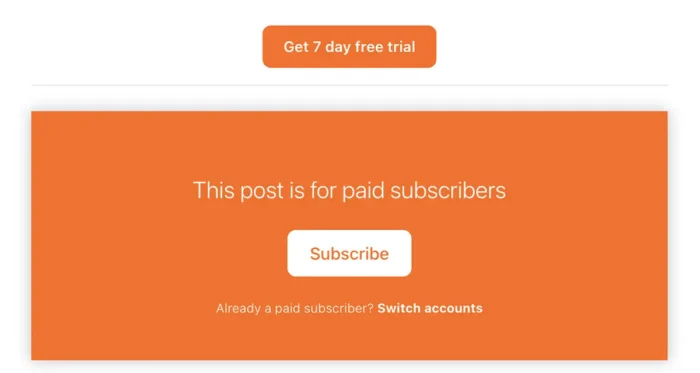
You can also offer sneak peeks of your content. Let readers see a few paragraphs and then prompt them to subscribe to read the rest.
Alternatives to Substack
For many creators and brands, Substack checks all the boxes. It’s a content distribution platform and audience-building tool, with free and paid options.
However, it’s not the only option in this category. Here are three other platforms to consider.
beehiiv
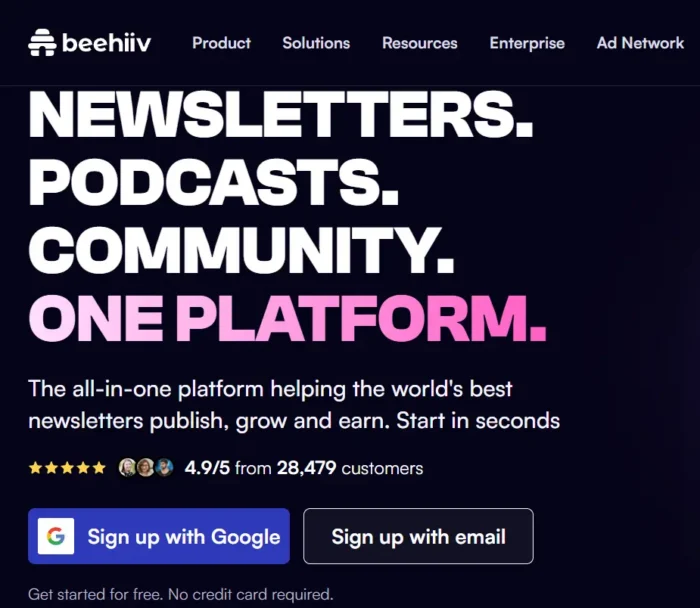
Beehiiv is a newsletter platform geared toward writers and creators as well as startups and founders. It leans more heavily into email-newsletter advertising than Substack does.
It supports free and paid newsletters, with subscriptions remaining free if you have up to 2,500 subscribers.
However, paid newsletters are just one monetization option. Beehiiv has a sponsorship system that allows creators to set pricing and source sponsors for their newsletters. You can also earn from selling digital products and services, metered paywalls and paid trials, and paid subscriptions. Beehiiv offers an affiliate program, too.
Beehiiv also has an ad network. Creators can opt to include ads in their newsletters and earn a set rate for each subscriber click.
Ghost
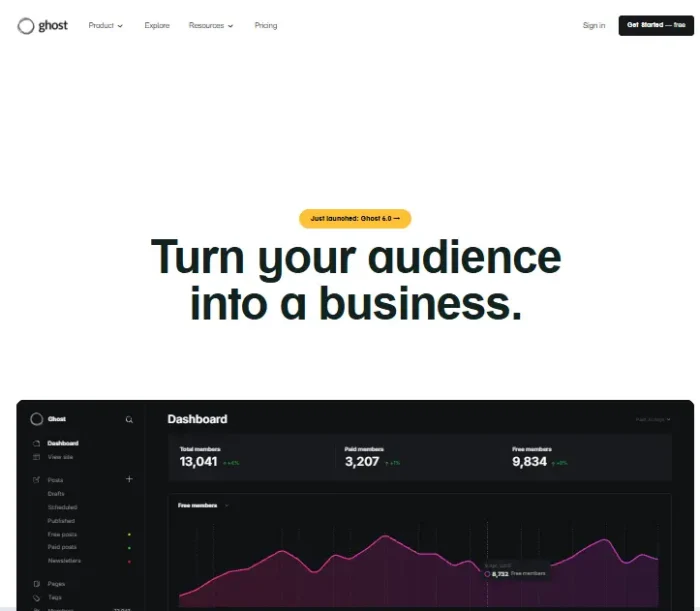
Ghost recently launched new features that make it easier to discover your brand. For example, Ghost is now linked to the open social web, expanding the number of people who can organically discover and engage with your content.
While it has built-in email newsletters, Ghost is different from Substack in that it is a fully featured content marketing platform. As a result, it’s a better option for brands seeking to build an audience.
Ghost(Pro) supports multiple paid tiers, starting at $15 monthly for annual subscriptions. The cost, which can go beyond $399 per month, is dependent on the number of subscribers and the content you publish.
Publishers can make money from paid subscriptions, contextual sponsorship ads, and donations. Custom premium tiers start at $29 a month for publishers.
Kit
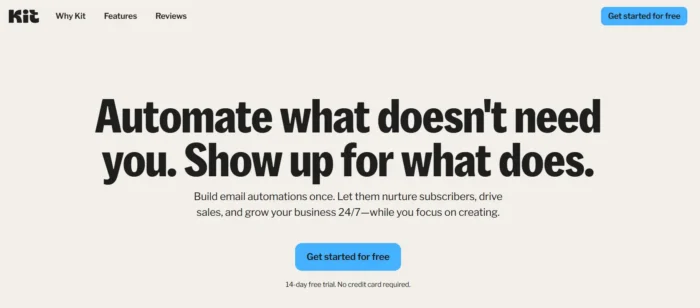
Kit is primarily an email platform.
It has tools for creating email newsletters and landing pages, including a custom page to host your Kit content. It also allows users to sell digital products like courses and consultations, which Substack doesn’t support.
Like Substack, Kit supports paid newsletters. What differentiates Kit is its advanced, highly customizable automation workflows that are more sophisticated than Substack’s.
Kit lets you set up multiple emails sent to subscribers when they complete an action, with timelines for follow-ups.
For example, you can automate a welcome email with a free chapter of your book, then have Kit follow up with a pre-order link a week later.
This makes Kit a better choice for creators who want advanced automation or plan to monetize beyond a paid subscription.
FAQs
How does Substack deliver paid posts to subscribers and control access?
Substack sends paid posts through email, and they’re also available in your Substack subscriptions list. Creators control which posts are available for free and which require a paid subscription. Free subscribers may receive a preview of paid content, but they must upgrade to read the full post.
What should I consider if I want recurring income from Substack?
Make sure you consistently post high-quality, unique content grounded in your expertise that matters to your readers. Look at your analytics and aim for high open rates and low unsubscribes.
The creators earning the most on Substack aren’t just publishing posts. Instead, they’re using their platform to reward subscribers with courses and coaching sessions. Once your Substack has a large number of subscriptions, you can make brand deals or create templates and toolkits that you can offer to subscribers. Affiliate marketing and upselling are other ways to bring in income.
Others choose to collaborate with other creators to combine their audiences. This can help you connect with new readers who share your interest and may not have discovered you otherwise. More visibility can lead to more subscribers, which can potentially increase earning potential.
How does the subscription process work for readers?
Once you find a creator whose work you are interested in, you can subscribe to their newsletter with the click of a button. Then, all Substack needs is your email address, where you’ll get regular posts when they’re published. For paid subscriptions, you can usually upgrade within a newsletter if there is a paid tier, or directly subscribe to paid content. For that, you’ll need a credit card.
Can I import my existing email list?
Yes, you can. Log in to your account and go to the “Navigation” menu on the left. Click on “Subscribers”, choose “Add subscribers” to start importing. You can also add subscribers by uploading a file to add multiple email addresses.
Here’s a tutorial.
Check with your subscribers before adding them to Substack.
How are posts promoted across the platform?
Substack’s Home feed surfaces posts and Notes based on engagement signals and content relevance, pushing them to both existing subscribers and new readers. The platform’s discovery algorithm favors content with high engagement (likes, comments, restacks) and consistent publishing activity.
To promote your own content across the platform, recommendations are a great way to expand your viewership. Recommend content you like and that aligns with your interests. Your followers and subscribers will see the recommendation, and it encourages others to promote you.
Conclusion
Substack isn’t just about producing great content.
It’s about building a community and getting paid for your work, turning your content into a sustainable revenue stream.
Going from zero to paid subscribers takes dedication. The reality today is that the platform has matured and competition has intensified, which means you need a clear focus and consistent effort to be successful.
With a solid plan to create and distribute high-value content, and a commitment to making that content visible, you can attract an audience and monetize your work.
Take the first step: Set up a Substack profile and plan your first post.
Pôvodne publikované na neilpatel.com