
How to Link Google Ads and Google Analytics Accounts?

0
279

What is Google Analytics 4?

Google Analytics 4 is Google’s analytics tool that allows you to collect and analyze data on user behavior on a website or in an app. GA4 is based on an event-driven model, where every user interaction – such as page views, clicks, content scrolling, or purchases – is recorded as a separate event.

This approach enables precise measurement of key user actions, the definition of conversions (critical events), and analysis of the user journey. Google Analytics 4 also allows you to evaluate the effectiveness of marketing efforts, analyze acquisition channels and traffic quality, and create advanced reports that support business decision-making.
 Why link Google Ads with Google Analytics 4?

Linking Google Ads with Google Analytics 4 enables a comprehensive analysis of the user journey – or potential customer journey – from the first interaction with Google Ads (such as an ad view or click) to completing a conversion, which includes key actions on your website or app, like submitting a form, signing up for a newsletter, or making a purchase.

Once Google Ads is linked with Google Analytics 4, selected advertising data from Google Ads becomes available in GA4 reports for users with the appropriate permissions. The integration also allows importing data from Google Analytics 4 into Google Ads, including key events marked as conversions, their values, and audience lists used for remarketing campaigns. It’s important to note that importing conversions and audiences requires additional configuration within Google Ads.

How to link Google Ads with Google Analytics 4?

First, ensure you have the proper account permissions to enable the connection. In Google Analytics, you need to be an administrator or have editing rights. For Google Ads, you also need administrative access.

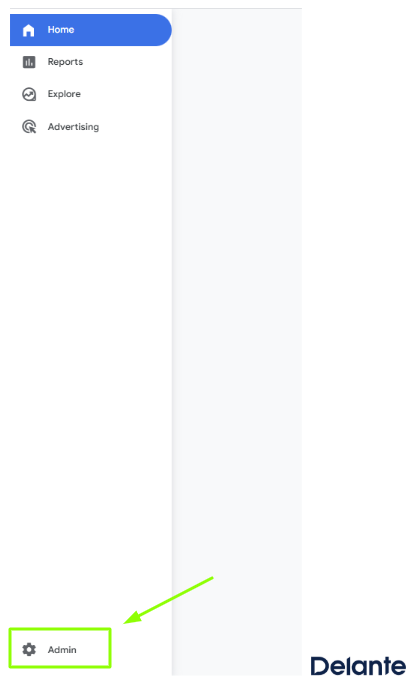
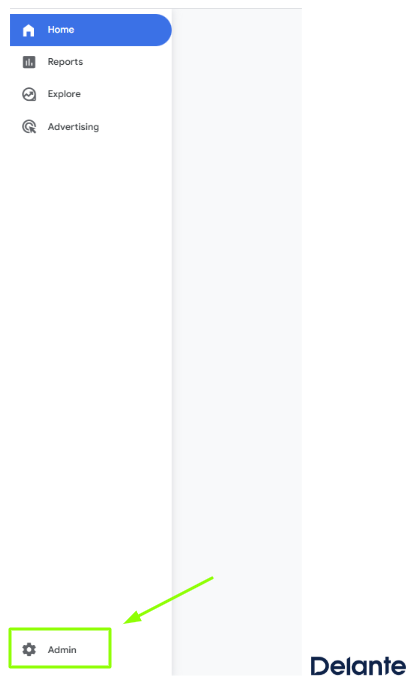
Next, log in to your Google Analytics 4 account. Go to the Admin tab and select the property you want to link with Google Ads.

Photo of the Google Analytics 4 dashboard

Source: Google Analytics 4


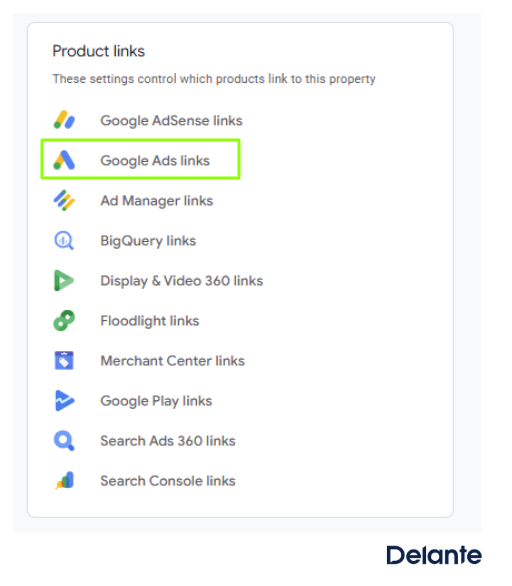
Next, look for the Product links option and select Google Ads links.

Photo of the Google Analytics 4 dashboard.

Source: Google Analytics 4


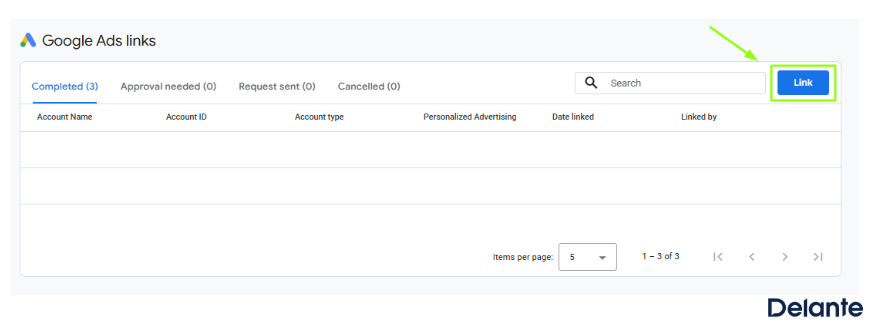
Now, you need to create a new link for these services by clicking the Link button in the top-right corner.

Photo of the Google Analytics 4 dashboard

Source: Google Aanlytics 4


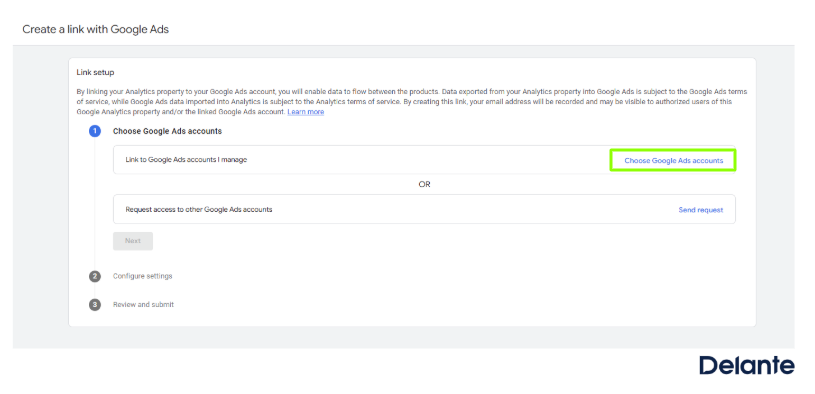
After selecting this option, a window will appear guiding you through the setup steps. First, choose the Google Ads account you want to link with your Google Analytics account.

Photo of the Google Analytics 4 dashboard

Source: Google Analytics 4


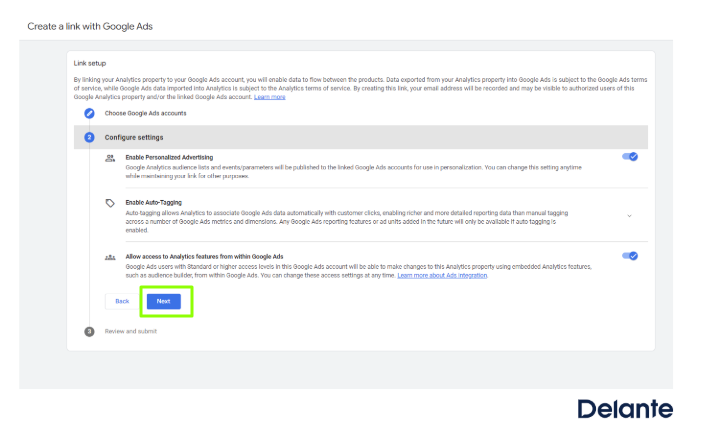
After allowing the features shown in the image, click Next.

Photo of the Google Analytics 4 dashboard

Source: Google Analytics 4


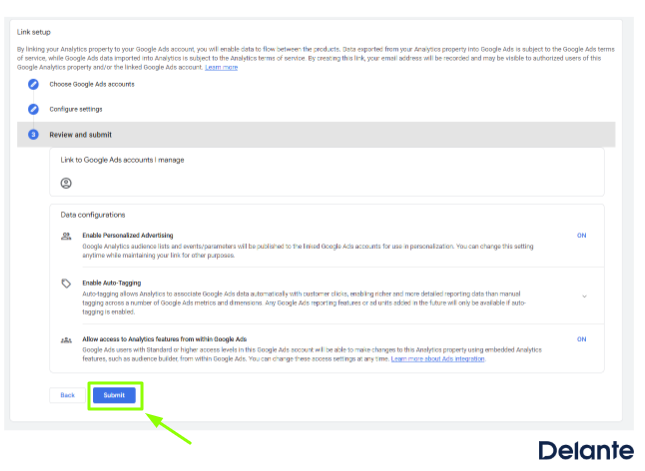
A window with a summary of your selected settings will now appear. After reviewing to ensure everything is linked as you intended, click Submit.

Photo of the Google Analytics 4 dashboard

Source: Google Analytics 4


If no errors appear, it means your GA4 property has been successfully linked to your Google Ads account.

What are the benefits of integrating Google Ads with Google Analytics 4?

By integrating Google Analytics 4 and Google Ads, you gain much more than just access to basic statistics. This connection enables comprehensive analysis of your advertising campaign performance and a better understanding of user behavior at every stage of the customer journey. Other benefits include:

  • Creating Google Ads conversions based on key events tracked in Google Analytics 4.
  • Enriching Google Ads reports with analytical data and the ability to view advertising data directly within GA4 reports.
  • Building and editing audience lists.
  • Accurately measuring key events on your website or app within GA4.

Summary

Integrating Google Analytics 4 with your Google Ads account provides a more complete view of user behavior on your website or app. This allows you to accurately track which portion of traffic and sales comes from advertising campaigns and make informed optimizations to both your ads and your site.

Linking these two tools also helps you better understand the user journey-from clicking an ad to completing key actions, such as making a purchase, submitting a form, or installing an app.

The post How to Link Google Ads and Google Analytics Accounts? appeared first on Delante.

Αναζήτηση
Κατηγορίες
Διαβάζω περισσότερα
Cars and Vehicles
Sporty or safety: The option that cancels Cupra’s ANCAP rating
The 2026 Cupra Formentor has arrived in Australia, with local independent crash-test authority...
από Liam O'Connell 2026-07-01 23:35:02 0 31
News
Suivez l’argent
« Follow the money. » En français, « suivre l’argent »....
από Matthieu Laroche 2025-12-20 17:10:01 0 121
News
PMQs: Starmer bats away Badenoch’s festive barbs
Prime minister’s questions: a shouty, jeery, very occasionally useful advert for British...
από POLITICO 2025-12-17 13:45:01 0 126
News
Saudi-Backed Forces in Yemen Retake Mukalla from Emirates-Supported Separatists
Yemen’s Saudi-backed, internationally recognised government, said on Saturday it had...
από SIA NEWS 2026-01-03 15:50:01 0 274
Film
'The Love Hypothesis' Officially Gets Sequel as Amazon Goes All In on Ali Hazelwood
...
από COLLIDER FANS 2026-06-29 23:30:03 0 19
Tweetko https://tweetko.com